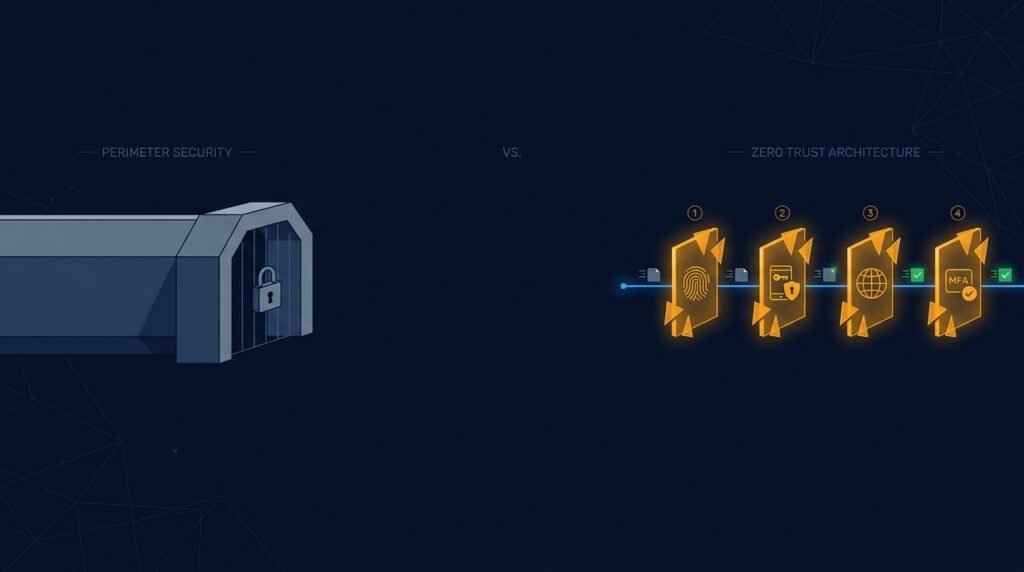
If your business uses a VPN so remote employees can log in, you’ve probably also started seeing a newer term floating around: ZTNA, or Zero Trust Network Access. Some vendors pitch it as a VPN replacement. Others bundle it in as a feature. Almost none of them explain, in plain language, what’s actually different.
Here’s the simple version: a VPN gets you onto the network. ZTNA gets you to the one application you need — nothing more. That difference sounds small, but it changes what an attacker can do if something goes wrong.
How a VPN actually works
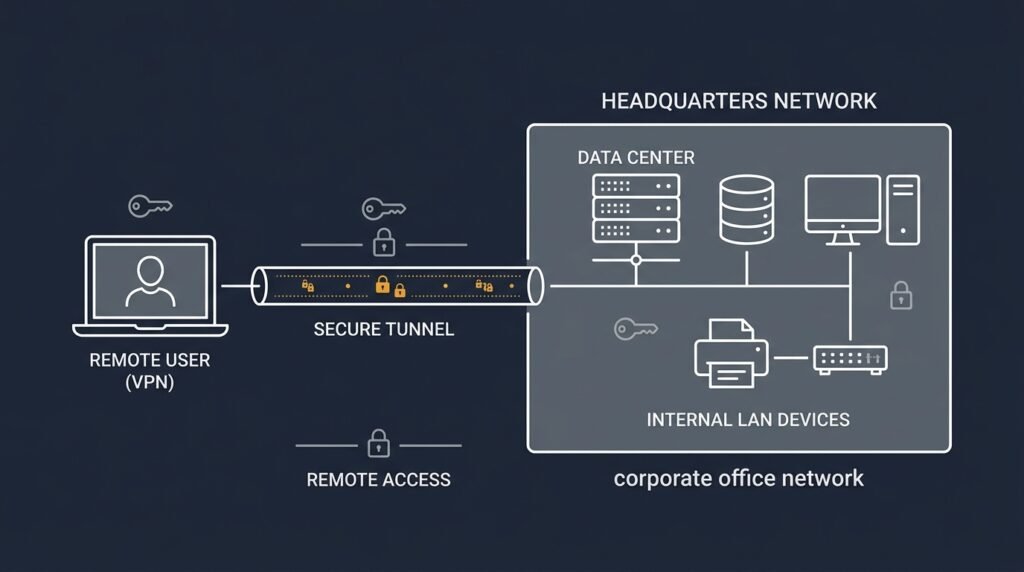
A Virtual Private Network creates an encrypted tunnel between a remote device and your business network. Once that tunnel is up, the device is treated as if it were plugged in at the office — it’s “inside,” and from there it can typically reach shared drives, internal tools, and other systems on that same network.
That’s the useful part of a VPN, and also its biggest weakness: access is granted at the network level, not the application level. If an employee only needs access to one internal tool, a standard VPN connection often still puts their device on the same network as everything else. If that device is compromised, or that employee’s credentials are stolen, an attacker doesn’t just get one application — they get a foothold on the network itself, with room to look around for whatever else is reachable from there.
How ZTNA actually works
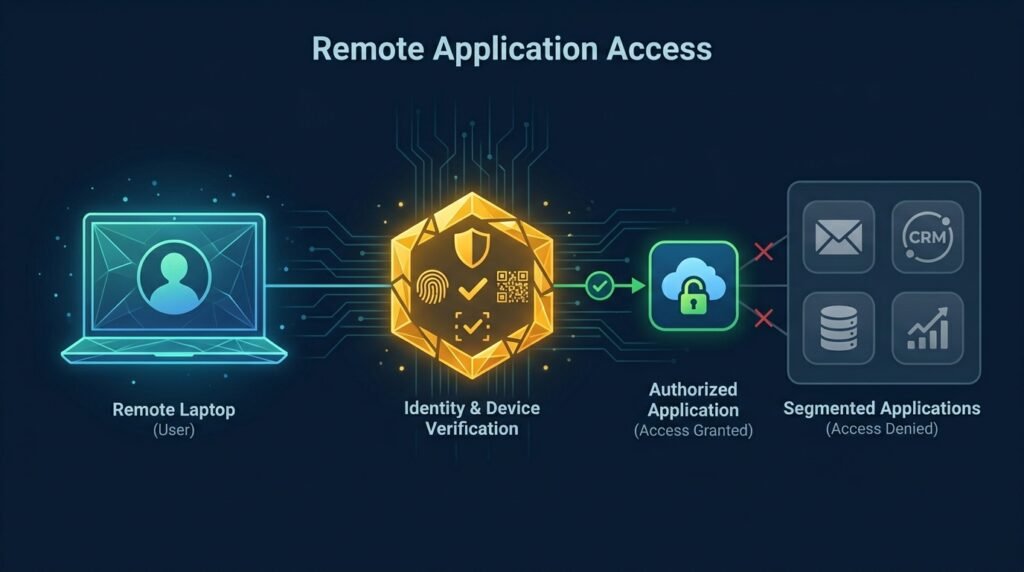
Zero Trust Network Access applies the core idea from Zero Trust security: never grant broad access just because a connection was established. Instead of putting a device “on the network,” ZTNA connects a verified user, on a verified device, to one specific application — and only that application.
A few things follow from that design:
- No visibility into the rest of the network. A ZTNA connection to your accounting software doesn’t let a device see or reach your file server, your email system, or anything else. Each connection is scoped to a single resource.
- Continuous verification, not a one-time check. Access isn’t just granted at login and then left alone; ZTNA solutions typically re-check identity, device health, and context throughout the session.
- Device posture matters. Many ZTNA tools check whether a device meets basic security requirements (updated software, endpoint protection running, and so on) before granting access, and can revoke access mid-session if that posture changes.
- The network itself stays invisible. Because ZTNA doesn’t put a device “inside” the network, attackers can’t scan for other systems the way they often can once inside a traditional VPN tunnel.
The real differences, side by side
- Attack surface. A VPN exposes the network; ZTNA exposes only the specific application being accessed.
- Granularity. VPN access tends to be broad and network-wide; ZTNA access is scoped per application, sometimes per action.
- Device checks. Basic VPNs often just check a username and password; ZTNA solutions commonly build device health checks into every connection.
- Visibility for attackers. A compromised VPN credential can let an attacker discover other systems on the network; ZTNA is designed so there’s nothing else to discover.
- Setup and cost. VPNs are simpler and cheaper to stand up, especially for a small team. ZTNA usually requires a dedicated service or platform and a bit more configuration up front.
So which one should a small business actually use?
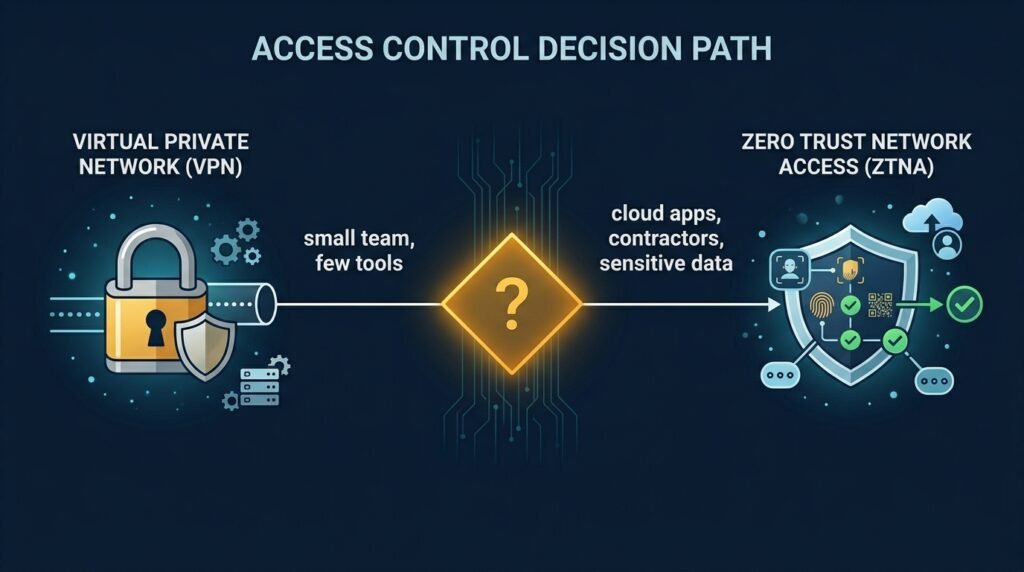
For a lot of small businesses, the honest answer is: it depends on what “remote access” actually means for your team.
- If your team is small, mostly working from a couple of trusted devices, and connecting to a small number of internal systems, a well-configured VPN combined with strong basics — multi-factor authentication, updated software, limited account permissions — may still be a reasonable fit.
- If your team includes contractors, uses a mix of personal devices, or relies heavily on cloud-based tools rather than one internal network, ZTNA’s per-application model closes gaps a VPN was never designed to handle. It’s also increasingly available as a feature inside broader security or identity platforms, rather than requiring an entirely separate product.
Neither option replaces the basics. A VPN or ZTNA connection is only as trustworthy as the credentials and devices connecting through it — which is exactly why things like multi-factor authentication and device security still matter regardless of which access model you choose.
The bottom line
A VPN and ZTNA solve a similar-sounding problem — letting people work remotely — in very different ways. A VPN opens a tunnel into the network and trusts what’s already inside it. ZTNA opens a narrow, verified path to one application at a time, and never assumes trust just because a connection exists.
You don’t need to rip out your VPN overnight. But understanding this difference matters when you’re deciding how contractors, remote staff, and cloud tools should connect to your business — and it’s one more piece of the same Zero Trust thinking covered in the Small Business Cybersecurity Risk Checklist.
Leave a Reply