Most cybersecurity advice focuses on email, and for good reason — but attackers have quietly shifted a lot of their effort to something people trust more and scrutinize less: text messages. It’s called smishing (a blend of SMS and phishing), and it’s grown sharply in the last few years. People are also more likely to click a link in a text than in an email, partly because texts feel personal and urgent, and partly because phones make it easy to tap first and think second.
For a small business, this isn’t just a personal annoyance. A smishing text can target an employee’s phone and lead directly to a stolen password, a fraudulent payment, or a foothold into business systems. Here’s what these messages actually look like, and how to catch them before you tap anything.
What a phishing text is trying to do
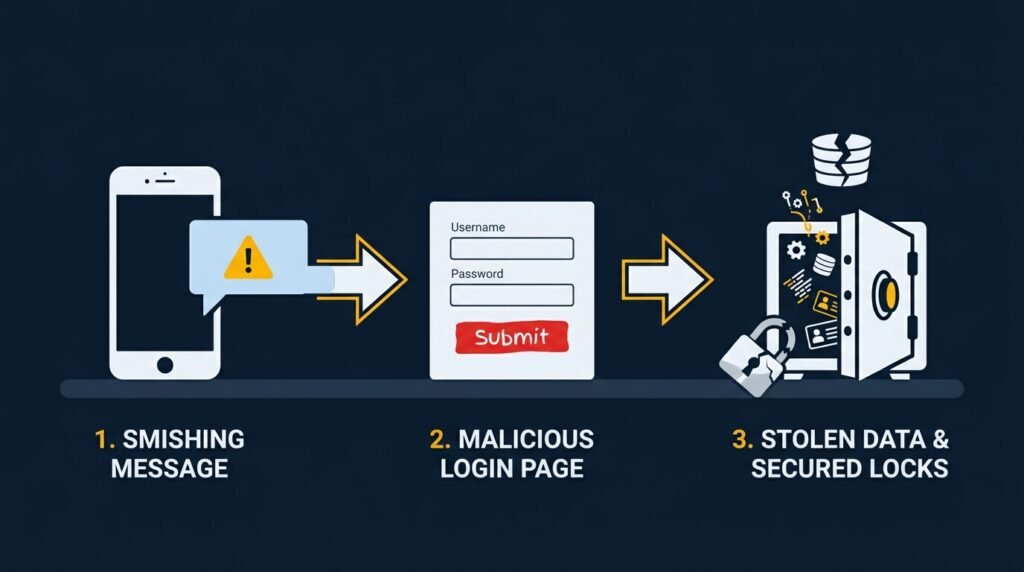
Almost every phishing text is built around the same goal: get you to act quickly, without thinking, by tapping a link or replying with information. The scenarios vary, but a few show up constantly:
- A “problem” with a delivery. A text claims a package couldn’t be delivered, or a small redelivery fee is due, with a link to “resolve” it.
- A “problem” with an account. A message claims suspicious activity was detected on your bank, email, or work account, and asks you to verify your identity by clicking a link.
- An unpaid toll or fine. A text claims you owe a small toll or traffic fine and must pay immediately to avoid penalties — the amount is often kept low on purpose, since a small charge feels easier to just pay than to question.
- A prize or refund. A message claims you’ve won something or are owed a refund, with a link to “claim” it.
- A verification code request. A text says a login attempt was made on your account and asks you to reply with the code you just received — which is often actually the code needed to break into that account.
The warning signs, in plain language
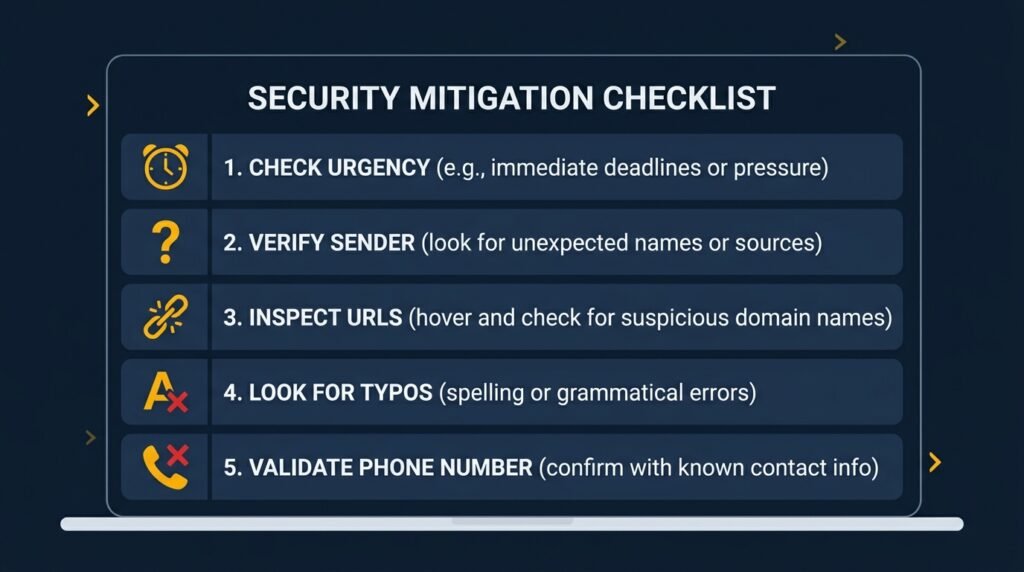
You don’t need to be technical to catch most of these. A few consistent signs show up across almost every phishing text:
- A sense of urgency or fear. Real organizations rarely demand immediate action over text. Phrases pushing you to act “immediately,” “within 24 hours,” or “to avoid penalties” are a deliberate pressure tactic.
- A message you weren’t expecting. If you didn’t order anything, don’t have an account with that company, or weren’t expecting a delivery, that mismatch alone is a strong signal.
- A link that doesn’t quite match. Look closely at the web address before tapping. Scam links often use a slightly altered company name, an unusual domain ending, or a shortened link that hides where it actually leads.
- Requests for a one-time code. No legitimate company will ask you to text back a verification code. If you receive one you didn’t request, that’s a sign someone else already has your password and is trying to get past the second layer of protection.
- Odd phrasing or formatting. Small awkward wording, inconsistent capitalization, or a generic greeting instead of your name can be a tell — though attackers are increasingly using AI to clean this up, so don’t rely on this sign alone.
- An unfamiliar or unusual sending number. Legitimate companies often send from a short, consistent number. A message from a long international number, or a number that’s different from previous legitimate messages from that company, is worth a second look.
What to actually do when you get one
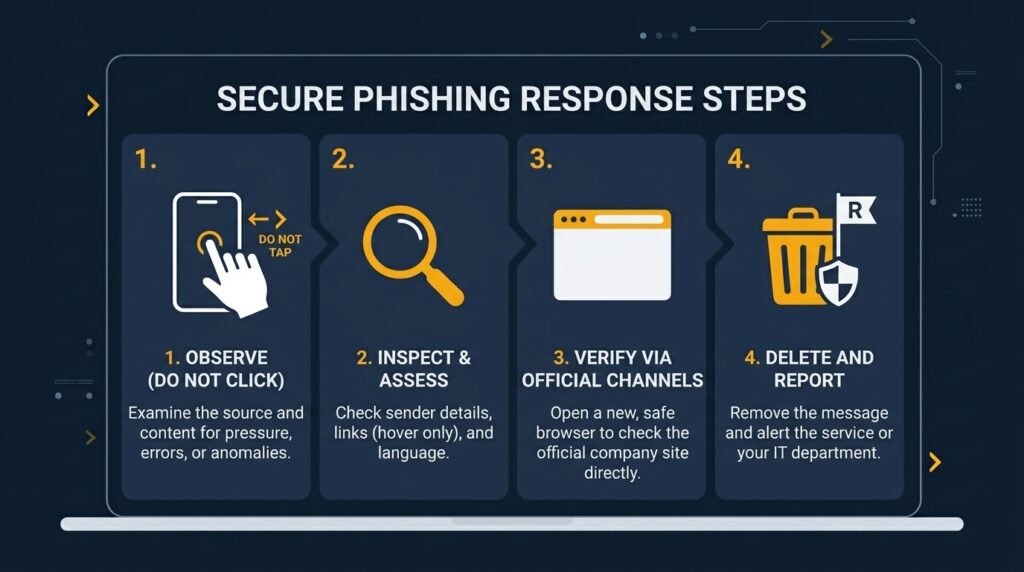
- Don’t tap the link. If you want to check whether there’s actually an issue, go directly to the company’s app or type their known website address yourself, rather than using the link in the text.
- Don’t reply. Replying, even with something like “STOP,” can confirm to a scammer that your number is active and being read, which often leads to more attempts.
- Verify through a separate channel. If a text claims to be from your bank or a service you use, call the number printed on your card or found on their official site — not any number provided in the text itself.
- Report and delete. Most phones let you report junk or phishing texts directly, and forwarding suspicious texts to 7726 (“SPAM”) helps carriers track and block these campaigns.
- If you already tapped or entered information, change the password for that account immediately, enable multi-factor authentication if it isn’t already on, and monitor the account for unusual activity.
Why this matters for your business, not just your personal phone
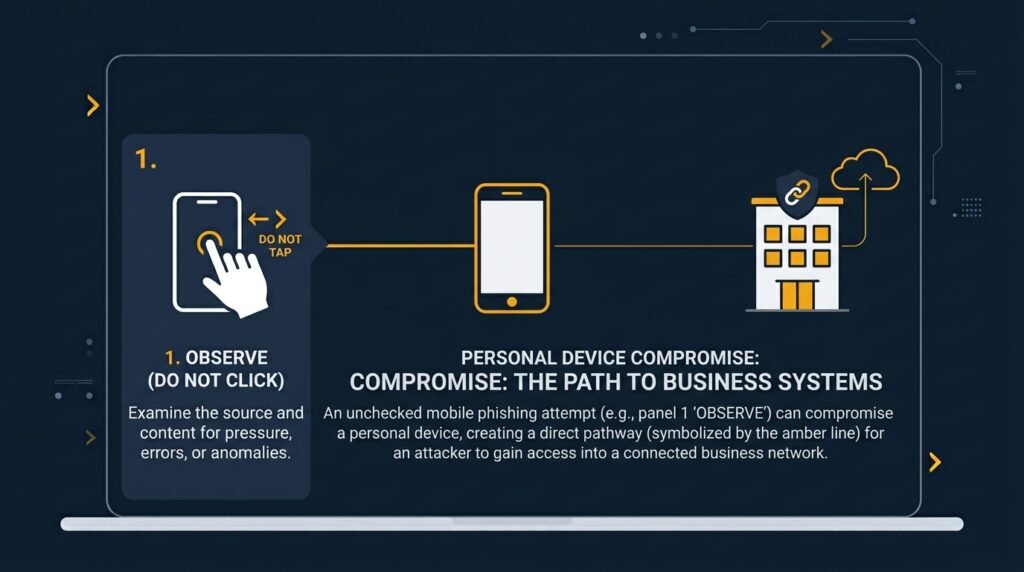
Employees increasingly use their phones for work — checking email, approving payments, or receiving login codes for business accounts. A phishing text that compromises a personal phone can just as easily become a business problem, especially if that phone has access to company email, banking apps, or two-factor codes for business systems.
A few simple habits go a long way here: cover smishing specifically (not just email phishing) in employee security training, encourage a “verify through a separate channel” habit for anything involving money or credentials, and make sure multi-factor authentication is enabled on business accounts so a single stolen password or code isn’t enough on its own.
The bottom line
Phishing texts work because they’re built to trigger a fast, emotional reaction — urgency, fear, or the promise of an easy win — before you have time to think it through. Slowing down for ten seconds to check the sender, the link, and whether you were actually expecting the message stops the vast majority of these attempts cold.
This is exactly the kind of gap covered under employee training in the Small Business Cybersecurity Risk Checklist — a quick reference like this one goes a long way toward making sure the next suspicious text gets deleted instead of tapped.
Leave a Reply