
If you’ve spent any time reading about cybersecurity lately, you’ve probably run into the term “Zero Trust.” It shows up in vendor pitches, security conference keynotes, and government guidance alike — usually described in language dense enough to make your eyes glaze over.
Here’s the simple version: Zero Trust isn’t a product you buy. It’s a way of thinking about security that assumes no one and nothing should be trusted automatically, just because it’s already inside your network.
The old way of thinking: castle and moat
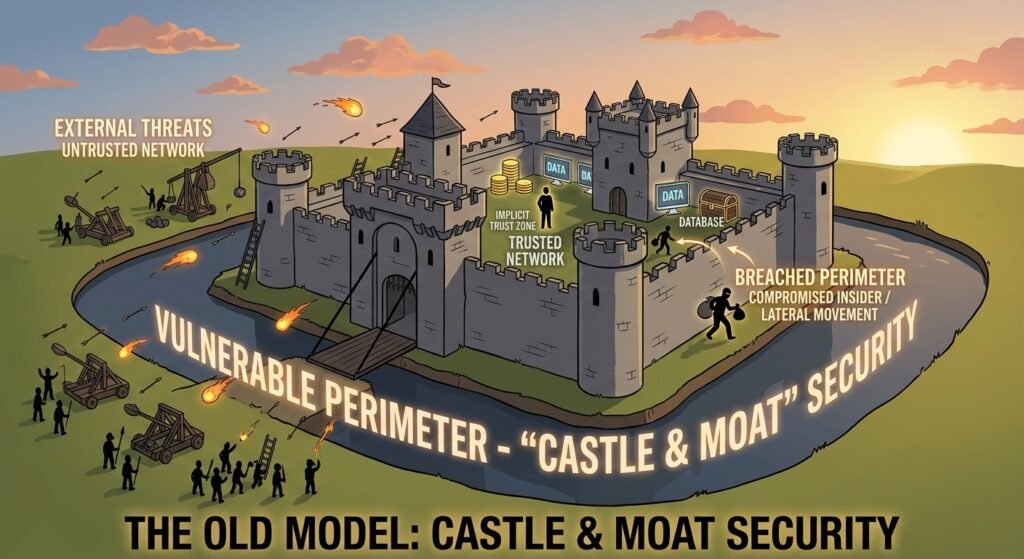
Traditional network security worked like a castle with a moat. You built strong defenses around the outside — a firewall, a VPN, a login page — and once someone got past that outer wall, they were trusted to move around freely inside.
That model made sense when “inside the network” meant a handful of computers physically sitting in one office. It makes a lot less sense today, when employees work from home, contractors log in from their own devices, and business data lives across a dozen different cloud apps instead of one server in a back room. The moat isn’t really keeping anyone out anymore, and once an attacker (or a stolen password) gets past it, there’s often very little standing in their way.
The Zero Trust way of thinking: never trust, always verify

Zero Trust flips that assumption. Instead of trusting anyone who’s already “inside,” it treats every request for access — whether it’s coming from an employee’s laptop, a contractor’s phone, or an app talking to another app — as something that needs to be checked, every time.
In practice, that means a few things:
- Verify identity, every time. Logging in once in the morning doesn’t grant unlimited access for the rest of the day. Access is checked continuously, not assumed.
- Grant the least access necessary. An employee in accounting doesn’t need access to the marketing team’s files, and a contractor helping with one project doesn’t need access to everything else. Zero Trust limits each person and device to exactly what they need, nothing more.
- Assume a breach could already be happening. Instead of designing defenses only to keep attackers out, Zero Trust also designs for what happens if someone already got in — limiting how far they can move and what they can reach.
- Check the device, not just the person. A login might have the right password, but is it coming from a company laptop with up-to-date security software, or an unknown device in another country? Zero Trust looks at that context before granting access.
A simple analogy
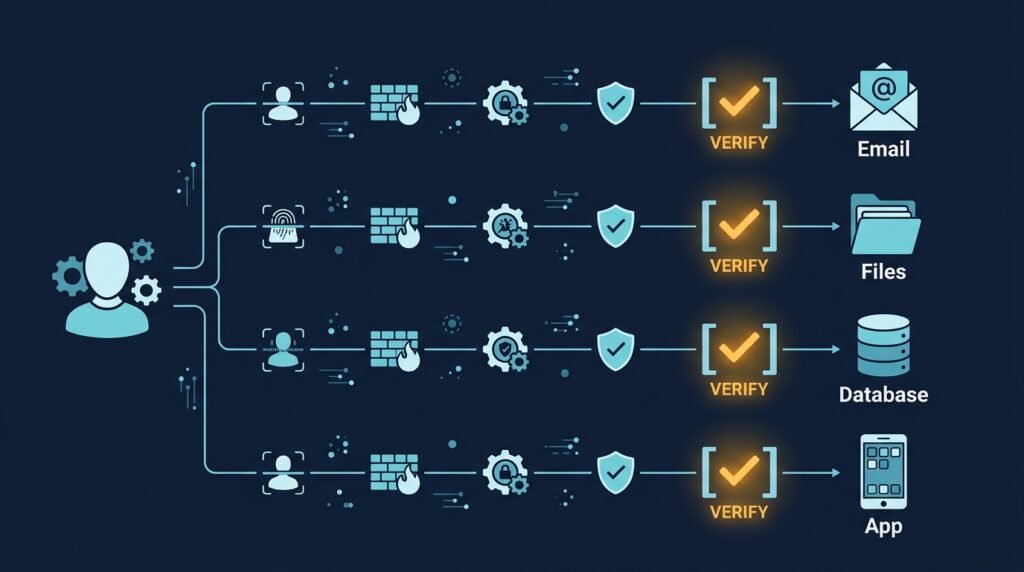
Think about the difference between an office building with one badge reader at the front door, versus a building where your badge is checked again at every floor, every server room, and every filing cabinet — and where it only opens the doors relevant to your job. That second building is a lot more resistant to someone waltzing in with a stolen badge, and it dramatically limits the damage even if that badge does get used.
Zero Trust applies that same logic to your business’s digital systems: your email, your customer database, your accounting software, and everything in between.
Why this matters for a small business, not just large enterprises
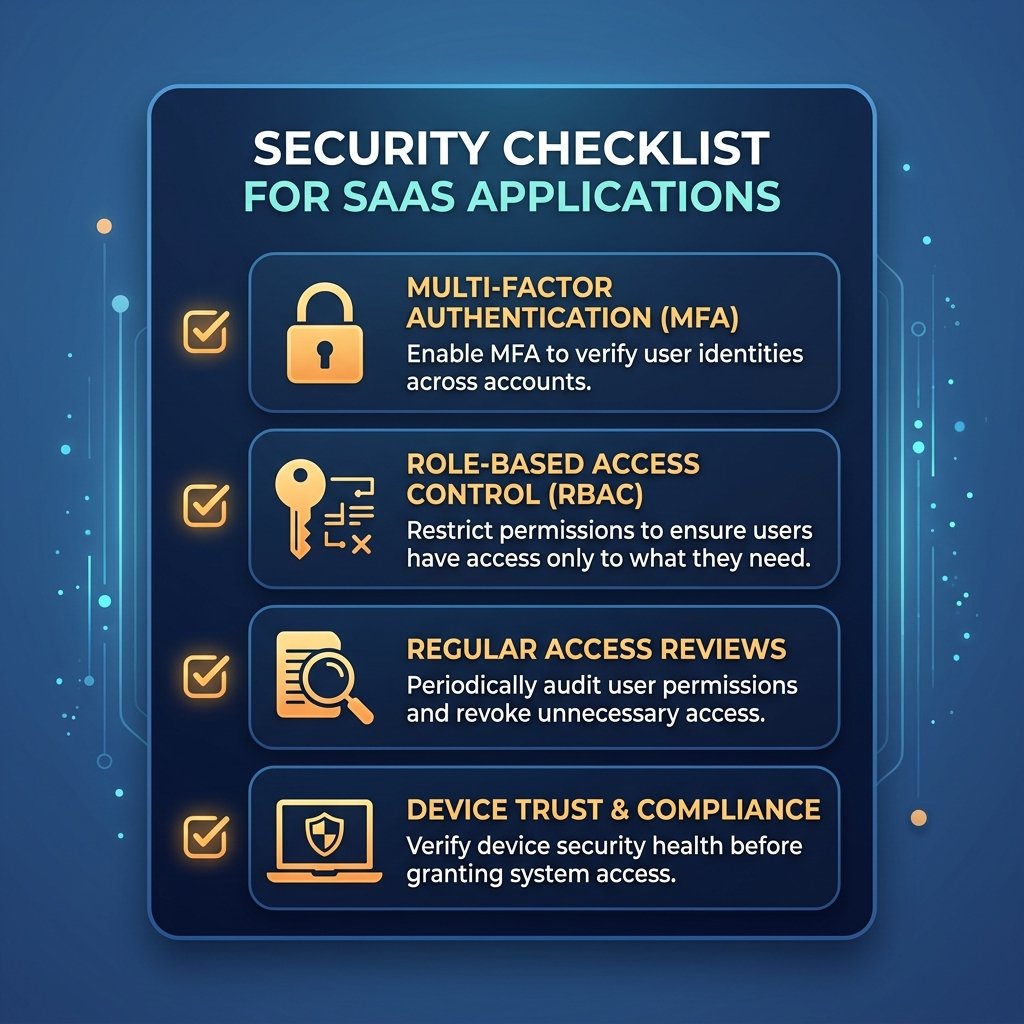
Zero Trust started as a concept built for large enterprises with dedicated security teams, and some of its more advanced implementations do require real investment. But the underlying principles scale down just fine, and several of them are things a small business can start doing without a big budget:
- Multi-factor authentication (MFA) is one of the most basic Zero Trust building blocks — verifying identity beyond just a password — and it’s cheap or free on most business software today.
- Limiting access by role costs nothing but a bit of setup time: making sure employees and contractors only have access to the systems and files their job actually requires.
- Reviewing who has access to what, on a regular schedule, catches old accounts and permissions that should have been removed months ago.
- Not automatically trusting devices — for example, requiring company devices to meet basic security standards before they can access business systems — closes one of the most common gaps for small teams with a mix of personal and work devices.
You don’t need an enterprise security budget to start adopting Zero Trust thinking. You need a shift in assumption: instead of “if you’re on our network, you’re trusted,” it becomes “every request gets checked, no matter where it comes from.”
The bottom line
Zero Trust sounds like a complicated framework, but the idea behind it is simple: don’t assume trust just because something is already inside your systems. Verify identity continuously, limit access to what’s actually needed, and design for the possibility that a breach could already be underway.
Adopting even a few pieces of this mindset — MFA, tighter access controls, regular access reviews — closes some of the same gaps covered in the Small Business Cybersecurity Risk Checklist, and it’s a natural next step once the basics from that checklist are in place.
Leave a Reply